Two ways to start
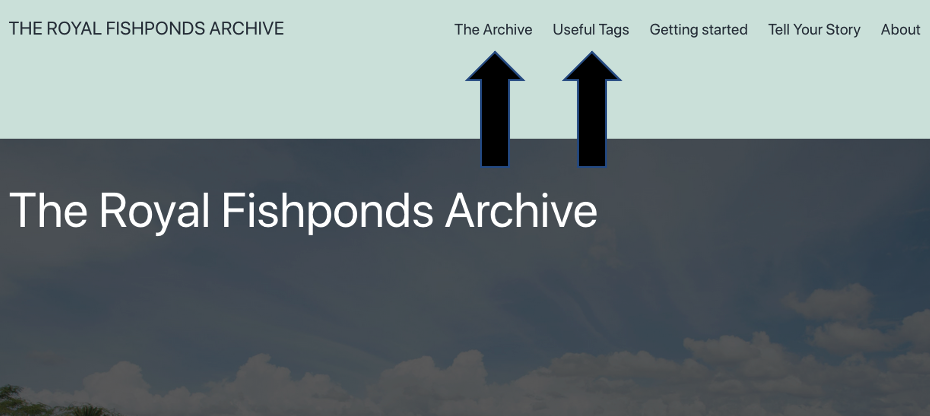
If you are new to our archive, you can either:
- Click “The Archive” at the top of the page to jump in and start browsing our archive; or
- Click “Useful Tags” at the top of the page to load items from our archive using some of our highest-level tags.
Browsing our archive
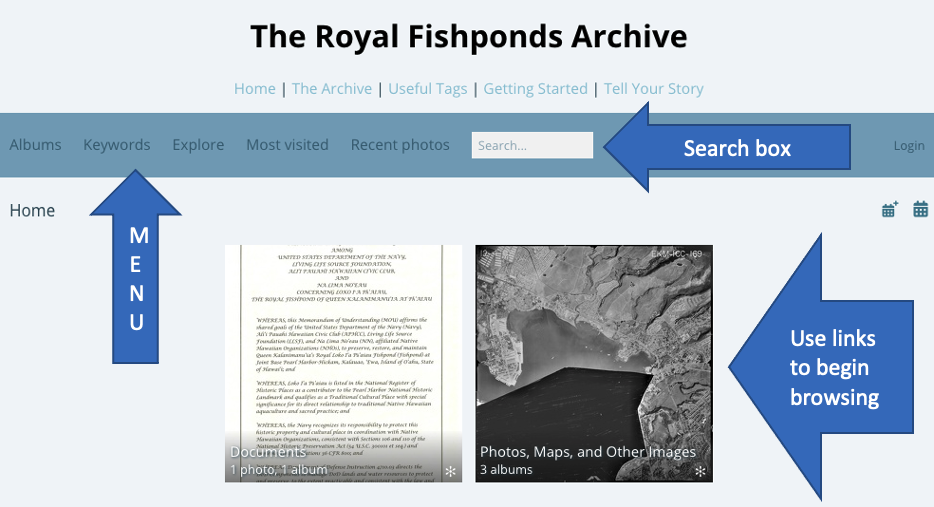
If you choose to browse our archive, you will find yourself on our archive landing page, seen above. From here, you can:
- Click on the pictures/thumbnails to browse the files our collection, which is separated into albums;
- Use the search box to search for terms; or
- Use the options in the menu (too many to go over here–just start exploring!).
Tools on file pages
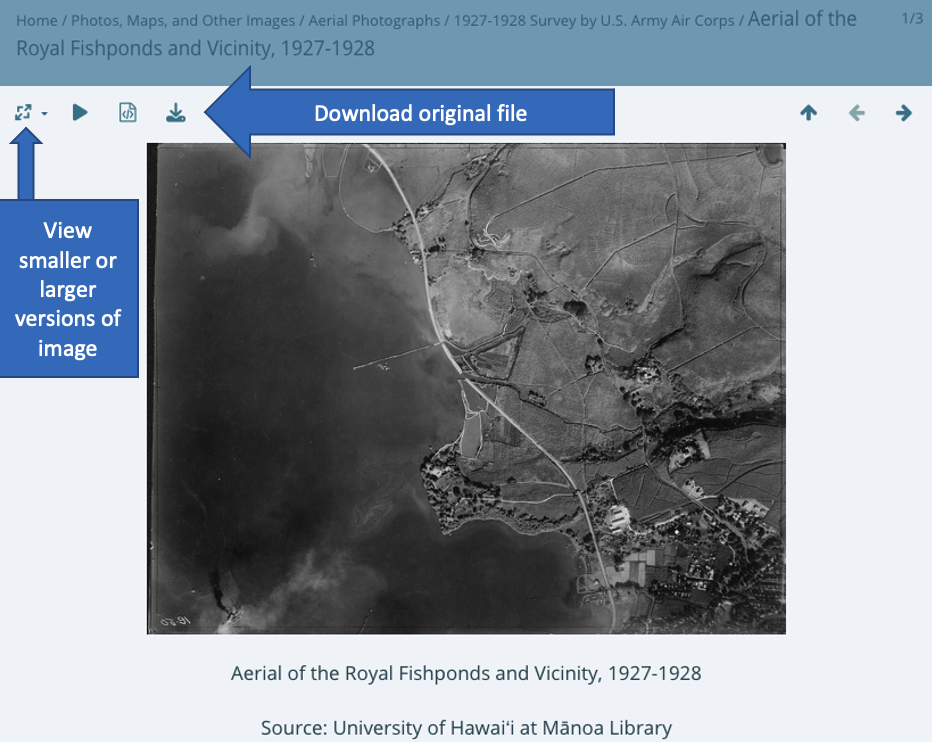
When you find an item you are interested in, you can click on it and the page above will appear, showing an image that displays an image of the item (for documents or books, the image will be a representative of the the item, such as the title page; for images such as maps or photos, it will be a small version of the image itself).
Above the image are a number of buttons you can use to (among other things) either view larger (or smaller) versions of images or download the original file. At top right, you can use the left or right arrows to browse the collection, or use the “up” arrow to return to the album.

Below the image will be more information about the file taken from our offline database. If the item is a multipage document, you can use the “Full Document” link to download the entire item. (Note that not all documents listed will be available to download due to intellectual property rights. These documents may be available to access in our physical archive.)
At the bottom of the page will be metadata, including the date of the image (if available) and keywords.
Note that some “creation dates” are approximations. For a number of items in our archive, specific creation dates are unknown. If available, the text annotation above the metadata will contain more information on how a particular document was dated.